> For the complete documentation index, see [llms.txt](https://docs.petoi.com/llms.txt). Markdown versions of documentation pages are available by appending `.md` to page URLs; this page is available as [Markdown](https://docs.petoi.com/chinese/kuo-zhan-mo-kuai/guang-qiang-chuan-gan-qi.md).
# 光强传感器
{% embed url="" %}
## 功能简介
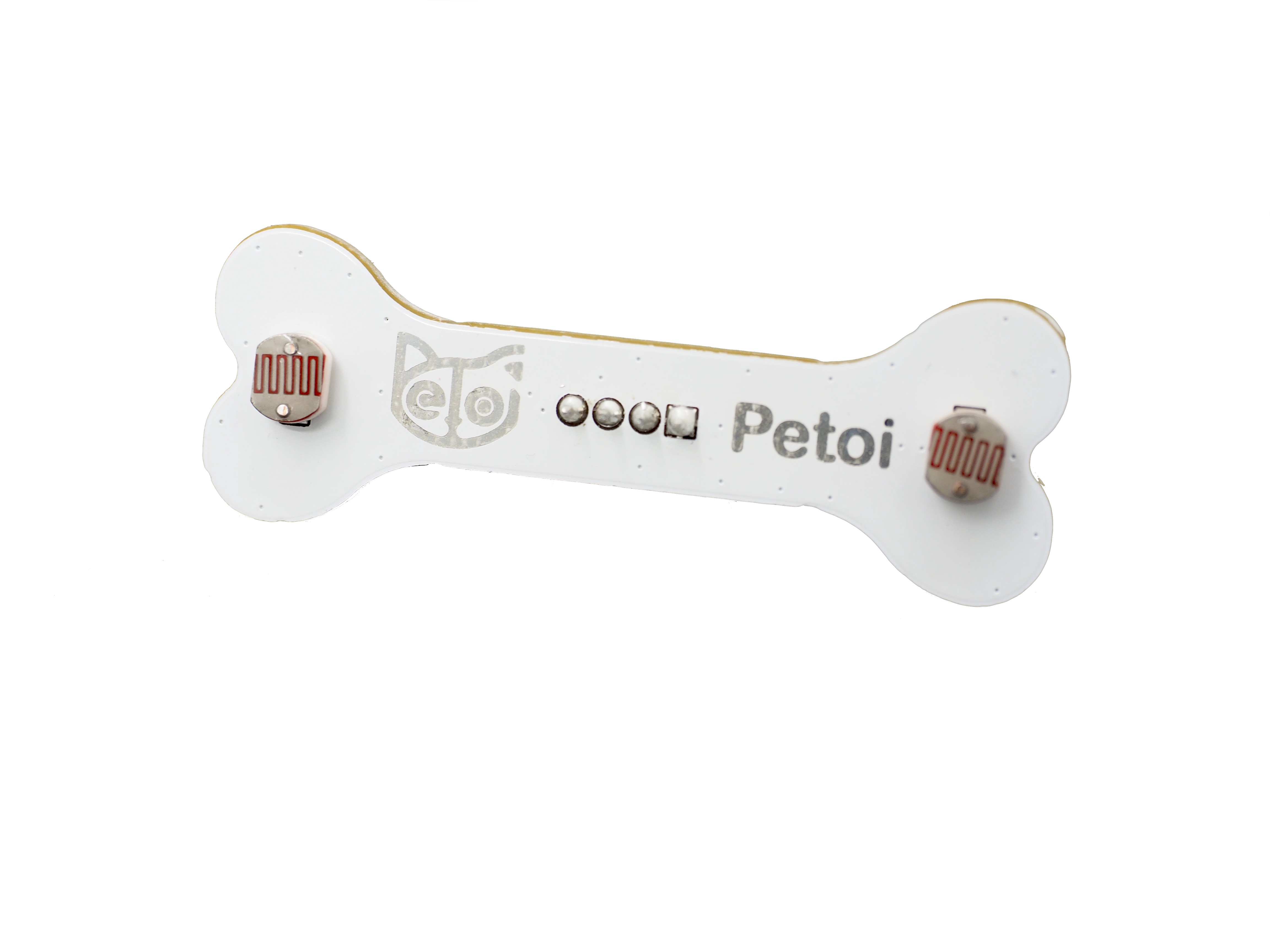
该传感器集成了两个光电阻(依赖光强调整电阻)来检测光强,光电阻是利用光电导效应的一种特殊的电阻,它的电阻和入射光的强弱有直接关系。光强度增加,则电阻减小;光强度减小,则电阻增大。输出信号为模拟值,亮度越亮,值越大。您可以通过判断检测到的光强数值来实现自己想要的功能,比如:机器人追踪光线功能。
## 硬件设置
使用电线将传感器连接到 NyBoard,如下图所示:
具体使用时可以将连接传感器的一端固定在机器人的头部(含在Bittle的嘴中,或者顶在Nybble的头部),当然您也可以根据实际需要发挥您的创意。
## 软件设置
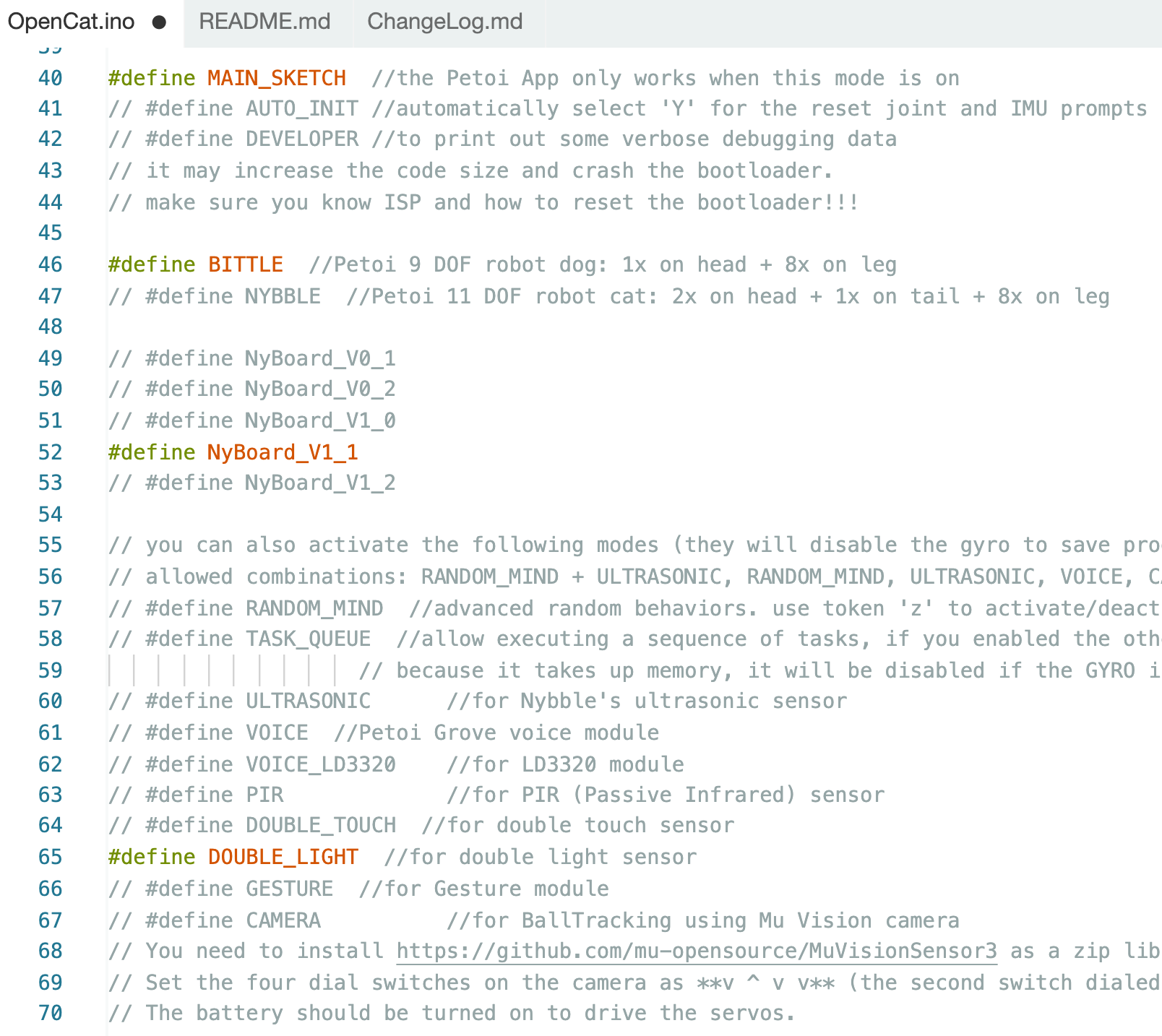
[**OpenCat**](https://github.com/PetoiCamp/OpenCat) 项目代码中目前已经集成了使用此传感器的代码,将 **OpenCat.ino** 中的**`#define DOUBLE_LIGHT`**行取消注释,如下图所示, 然后使用 [Arduino IDE](https://www.arduino.cc/en/software) 将程序上传到机器人主板,可以复现整合了机器人动作的示例功能。
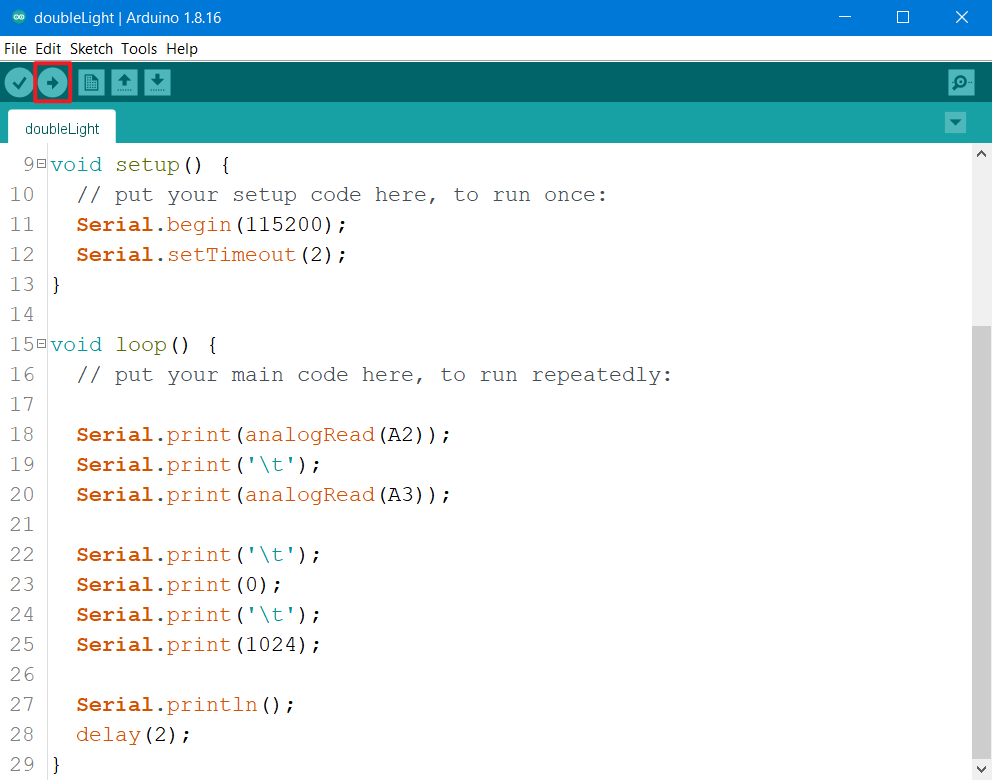
如果您想单独测试光强传感器功能,或者想进一步了解其功能实现原理。您可以使用 Arduino IDE 上传示例程序(doubleLight.ino),如下图所示:
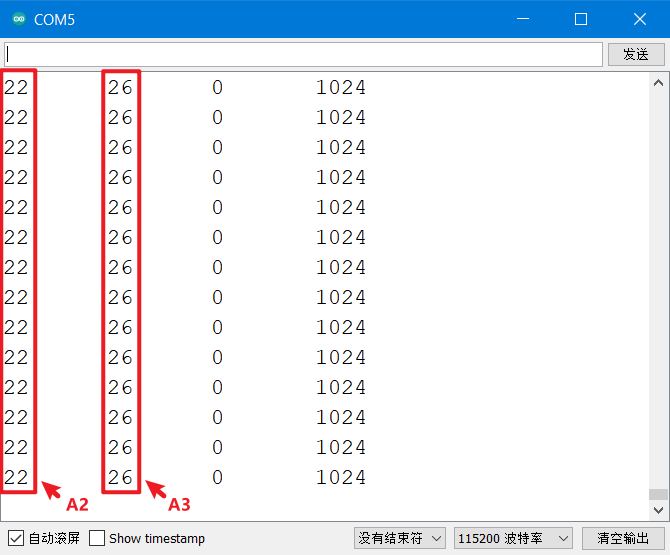
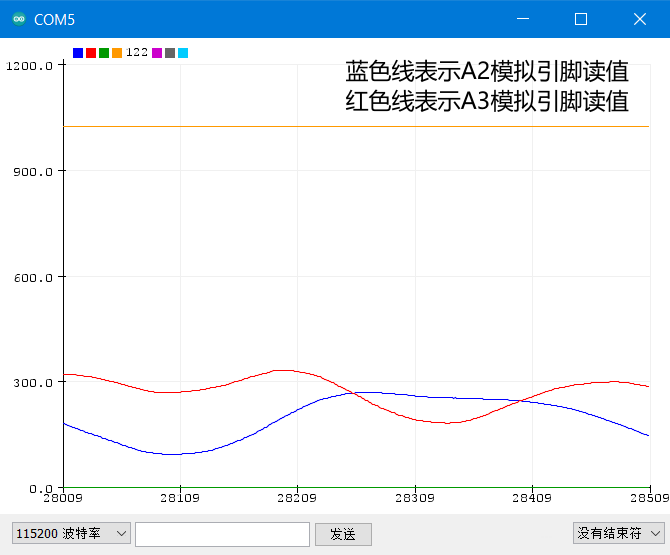
示例程序(doubleLight.ino)实现了在[串口监视器](https://docs.petoi.com/v/chinese/arduino-ide/chuan-kou-jian-shi-qi)中实时打印出A2, A3两个模拟引脚输出的模拟值,您也可以通过使用串口绘图器更加直观地查看A2, A3两个模拟引脚输出的模拟值沿时间轴生成的波形图。
串口监视器
串口绘图器
### 示例程序代码
{% file src="/files/e50IA0vRSo55kq2jAxp1" %}
---
# Agent Instructions
This documentation is published with GitBook. GitBook is the documentation platform designed so that both humans and AI agents can read, navigate, and reason over technical content effectively. Learn more at gitbook.com.
## Querying This Documentation
If you need additional information that is not directly available in this page, you can query the documentation by asking a question.
Perform an HTTP GET request on the following URL with the `ask` and `goal` query parameters:
```
GET https://docs.petoi.com/chinese/kuo-zhan-mo-kuai/guang-qiang-chuan-gan-qi.md?ask=&goal=
```
`ask` is the immediate question: it should be specific, self-contained, and written in natural language.
`goal` is what the user is ultimately trying to achieve, the reason they need the answer. Sharing it helps GitBook give you a better, more relevant answer. A goal is most helpful when it describes the outcome the user wants rather than restating the question. For example, with `ask=how do I create an API token`, a goal like `automate deployments from our CI pipeline` lets GitBook tailor the answer to that use case.
The response will contain a direct answer to the question and relevant excerpts and sources from the documentation.
Use this mechanism when the answer is not explicitly present in the current page, you need clarification or additional context, or you want to retrieve related documentation sections.